What players say
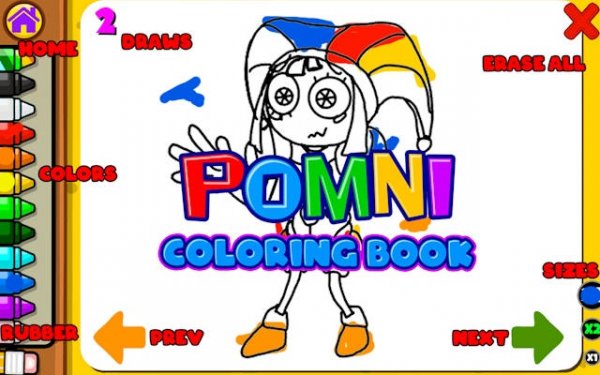
Pomni Coloring Book offers a straightforward and relaxing coloring experience. The drawings are charming and capture the spirit of the Digital Circus well. The controls are responsive, and the color palette provides enough variety for creative expression. It is a low pressure activity that encourages experimentation. The lack of ads or interruptions enhances the experience. Suitable for both children and adults, it provides a peaceful break from more demanding games. Replayability comes from the multiple images and the freedom to recolor them differently each time.
About this game
Game Introduction
Pomni Coloring Book: Digital Circus Fun Online Coloring Game invites players into a cheerful world of coloring. Based on the popular Digital Circus series, this game provides a digital canvas for artistic expression. Players choose from a variety of cute character drawings and use a rich color palette to bring each image to life. The game emphasizes relaxation and creativity, making it suitable for children and adults alike. There are no time limits or scores, allowing for a peaceful experience. Each drawing captures the charm of the original characters, offering a familiar and delightful activity. Whether you are looking for a quick break or a longer creative session, this game delivers a satisfying and enjoyable pastime.
How to Play
Getting started is easy. First, select an image from the gallery of Digital Circus characters. Next, pick a color from the palette at the bottom of the screen. Then, tap or click on the area you want to color. You can also drag your finger or mouse to fill larger sections. If you make a mistake, use the undo button to remove the last stroke. Change colors at any time to match your vision. The controls are intuitive, so you can focus on coloring without distractions. The game works smoothly on both desktop and mobile devices.
Game Features
Features include a wide selection of Digital Circus themed drawings. The color palette offers many shades and hues for customization. Simple tap to color mechanics make the game accessible to all skill levels. Undo and redo functions allow for easy corrections. The game is free to play with no in app purchases required. Family safe content ensures a positive experience for everyone. Regular updates add new images to keep the activity fresh.
Tips for Success
To get the most out of your coloring experience, start with simpler drawings to get comfortable with the controls. Experiment with different color combinations to develop your personal style. Use the undo feature freely to try new ideas without worry. Take breaks if needed to keep the activity relaxing. Share your finished creations with friends or family to spread the joy. Most importantly, enjoy the process and let your creativity flow.