What players say
Point to Merge delivers a relaxing puzzle experience with 50 levels that gently increase in challenge. The merge mechanics are intuitive, and the lack of timers reduces pressure. It is ideal for improving number sense and planning skills. The distraction-free visuals make it easy to focus, and the game offers good replayability for quick sessions.
About this game
Point to Merge is a gentle number puzzle designed for players of every age group, from young children learning number sequences to adults seeking a low-pressure brain workout. The game has no stressful mechanics or confusing barriers, so you can start playing whenever you have a few spare minutes. As you progress, it builds logical reasoning, spatial awareness, and forward planning skills while keeping the mood light and relaxed. It works well for quiet after-school play, quick stress-relief breaks, or family game night.
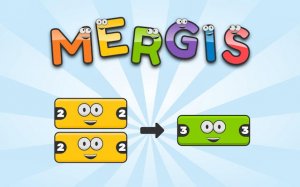
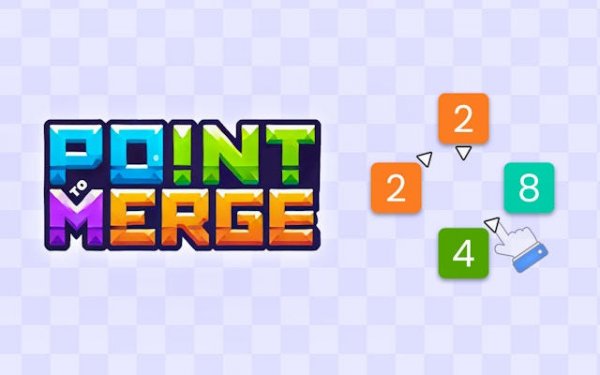
Playing Point to Merge is simple. Tap or click any numbered block on the grid, then draw a straight arrow to guide it to another block with the same number. When two matching blocks merge, they combine to form the next number in the doubling sequence: 2, 4, 8, 16, and so on. Your goal is to reach the target number before running out of valid moves. If you misdirect a block off the grid, the level resets with a fresh board. Take your time planning each move, as there are no timers.
Game features include 50 progressive levels that gradually increase in difficulty, gentle visual and audio feedback when blocks merge, and a distraction-free design that keeps focus on the puzzle. The clean interface helps players of all skill levels stay engaged without clutter.
Point to Merge offers a calm and rewarding experience. It is easy to learn but provides enough depth to keep your mind active. Whether playing alone or with family, you will find hours of satisfying puzzle fun.
✅ Compatibility & Testing
All games on this site are manually tested on: • Desktop (Windows 11, macOS Ventura) • Mobile (iPhone 14, Samsung Galaxy S23) • Tablet (iPad Pro, Android tablet) 📌 Supported browsers: Chrome, Safari, Edge, Firefox (latest versions) 📌 Not supported: Internet Explorer, older browser versions