What players say
Halloween Labubu Coloring & Drawing Game for Kids succeeds in offering a stress-free creative outlet. The Halloween themes are cute and age-appropriate, avoiding any scary elements. The interface is intuitive, allowing even young children to start coloring immediately. The option to draw freely adds replay value, as kids can create new pictures each session. It is a reliable choice for parents seeking a wholesome digital activity that supports artistic exploration and fine motor skill development.
About this game
Game Introduction
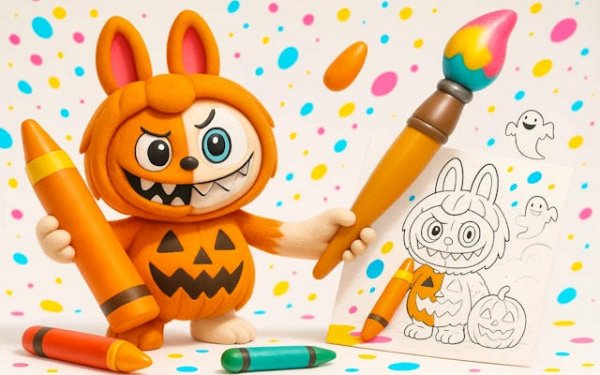
Halloween Labubu Coloring Art Game is a gentle digital coloring activity designed for children. It offers a selection of Halloween-themed line art pictures featuring friendly characters like smiling pumpkins and cheerful ghosts, ensuring a not-too-scary experience. Young artists can choose any image to color or start with a blank canvas for free drawing. The core objective is to spark creativity and provide a relaxing, festive pastime that combines holiday excitement with artistic expression.
How to Play
Playing is straightforward and intuitive. First, browse the Halloween gallery to pick a picture you'd like to color, or select the blank canvas option to create your own drawing from scratch. Next, choose a color from the bright palette displayed on screen. Then, tap or drag on any area to fill it with color, or use the drawing tools to add lines and shapes. If you make a mistake, simply use the undo button to go back. Once finished, you can save your artwork to share with family or keep as a digital memory.
Game Features
Features include child-friendly Halloween themes that avoid fear, with large, easy-to-use buttons suitable for small fingers. The game supports skill development through color recognition and hand-eye coordination. It provides a safe environment with no ads or external links, and offers stress-free play with no timers or scores. The forgiving undo and redo options help build confidence in young artists, making the process enjoyable and encouraging experimentation.
Tips for Success
To get the most out of the game, encourage children to explore different color combinations and experiment with the drawing tools. Starting with simpler pictures can help build familiarity with the controls. Use the undo feature freely to try new ideas without worry. Save and share completed artworks to celebrate creativity and boost confidence. Regular practice can improve fine motor skills and color recognition over time.