What players say
Celestial Orbits Builder combines education with entertainment effectively. The drag-to-launch mechanic is easy to learn but offers depth for experimentation. You can create complex systems with many bodies and watch how gravity shapes their paths. The ability to toggle orbit trails helps understand motion patterns. It is a relaxing sandbox that encourages repeated play and discovery. Ideal for anyone curious about space.
About this game
Game Introduction
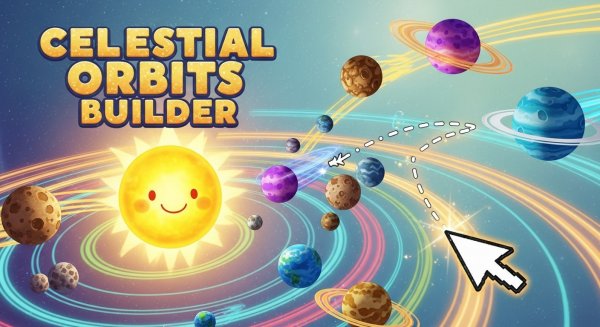
Celestial Orbits Builder is a family-friendly space simulation game that lets you become the architect of your own solar system. Start by placing a central star on the canvas, then choose from various planet types to add orbiting bodies. The game uses real-time physics to simulate gravity and orbital mechanics, allowing you to create everything from stable planetary systems to chaotic asteroid fields. With unlimited planets, moons, and asteroids, every session offers a unique cosmic playground. Perfect for space enthusiasts and curious minds, this game encourages experimentation and learning about orbital dynamics in a safe, engaging environment.
How to Play
To play, simply click anywhere on the canvas to place your sun. Next, select a planet type from the menu, then click and drag from your chosen starting point. The direction and length of your drag determine the planet's initial velocity and orbit path. Release to launch the planet, and watch it orbit the sun in real time. You can add unlimited planets, asteroids, or moons, adjusting their positions and velocities to create stable orbits or explore chaotic systems. Use the controls to pause the simulation, reset the system, or toggle orbit trails for better visualization. Experiment freely to discover the beauty of celestial mechanics.
Game Features
Real-time orbit simulation. Unlimited planets and moons. Drag-to-set velocity for precise control. Pause and reset controls for experimentation. Orbit trails toggle to visualize paths. The game also includes a variety of planet types and the ability to add moons and asteroids, making each creation unique. The interface is designed to be intuitive, allowing players of all ages to jump in and start building their solar systems immediately.
Tips for Success
Start with a single planet to understand how gravity works before adding more bodies. Use the orbit trails feature to see the paths your planets will take, helping you adjust their initial velocities for stable orbits. Experiment with different drag lengths and directions to see how they affect orbit shapes. If a system becomes chaotic, use the reset button to start fresh. Remember that there is no right or wrong way to play—exploration and creativity are the keys to enjoying this cosmic sandbox.